PetPal Desktop — Free Client & Demo
A downloadable desktop companion for Windows and macOS
A small companion for your desktop
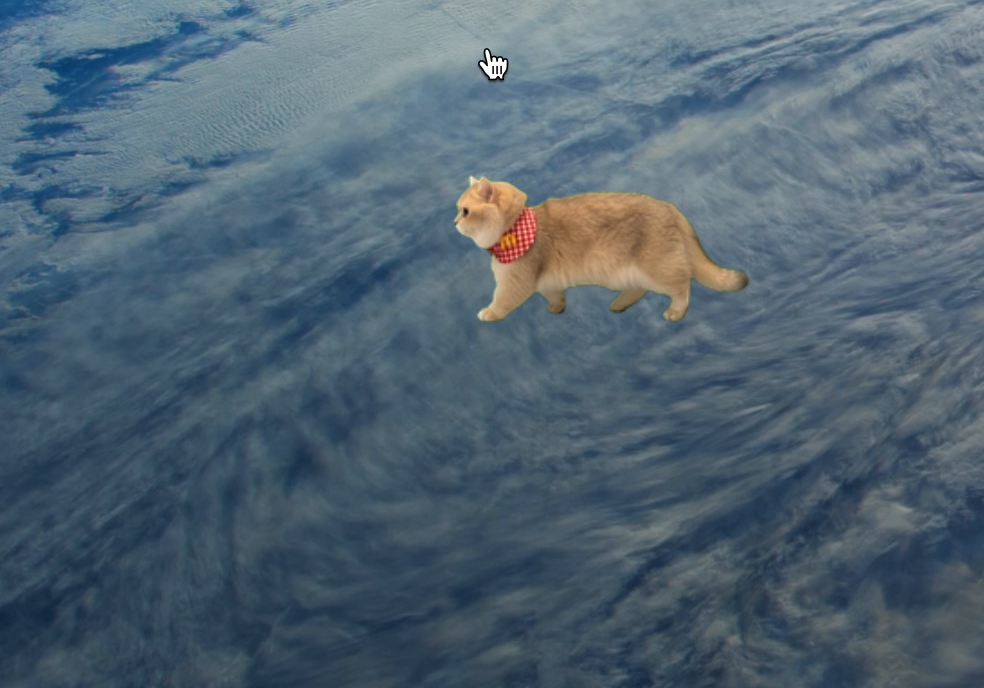
PetPal Desktop displays an animated pet in a transparent desktop window. This page provides the free desktop client and a simple illustrated sample pet for testing import and playback.
The client is built with Tauri, Rust, and JavaScript. Its public source is MIT-licensed: PetPal Desktop on GitHub.
What you can download
- Existing Mac Apple Silicon and Mac Intel disk images.
- The existing Windows setup program.
- A public sample package and instructions. The sample is a simplified cartoon cat, not the realistic custom pet shown in the promotional screenshot.
These are early client builds. The current downloads have not been freshly tested on every OS version or architecture. macOS notarization is not confirmed; if your OS blocks an installer, do not disable system protection. Developers can use the source-build instructions instead. No Linux installer is provided.
Start with the sample
- Choose the installer that matches your computer.
- Download and unzip the sample package.
- Open PetPal Desktop and find its system-tray icon, or menu-bar icon on macOS.
- Choose Import .petpet and select standard-mochi.petpet.
- Use the tray controls for visibility, click-through, and quitting. The animations available depend on the package.
For setup and import troubleshooting, see the client guide and package format documentation.
Want a companion based on your own pet?
PetPal Studio separately offers AI-generated custom companions from pet photos. Custom generation is a one-time paid service. Payment unlocks the generated preview, and the private .petpet package becomes available when ready. It is not included in this free client download.
The generated companion is an interpretation of a reference photo, so its appearance and motion can differ. Read the photo-to-desktop-pet walkthrough before ordering.
The realistic-cat screenshot demonstrates a separate custom asset in the native client; it is not the included cartoon test sample. This project and its presentation use AI-assisted graphics, text, and code.
Feedback
For client bugs, share your OS, client version, and steps to reproduce in the comments or GitHub issues. Use public test assets; do not post private order links or customer photos.
Download
Install instructions
Choose the installer for your computer: Apple Silicon Mac, Intel Mac, or Windows. On Mac, open the DMG and copy PetPal Desktop to Applications. On Windows, follow the setup program. These are early builds; OS compatibility and macOS notarization are not fully verified.
Unzip PetPal-Desktop-Public-Sample.zip. In the app’s tray/menu-bar menu, choose Import .petpet and select standard-mochi.petpet. This is a simple illustrated sample for import and playback testing. Custom photo generation is a separate paid service.
If your OS blocks installation, do not disable system protection. See the public source-build instructions at github.com/ethmoon/petpal-desktop.
Development log
Leave a comment
Log in with itch.io to leave a comment.